Originally published on Medium.
I recently saw a Twitter/X thread by Ammaar Reshi, about him building an app from scratch without a line of code using Cursor AI and I thought to myself there are lots of no-code tools out there, it's just one of those but I will give it a try.
I head over to Cursor AI to download their IDE and get their pro plan
(you need that for the no-code composer).

The next step was to time it all. How long did it take me from start to finish to make an “ACTUAL WORKING APP?”
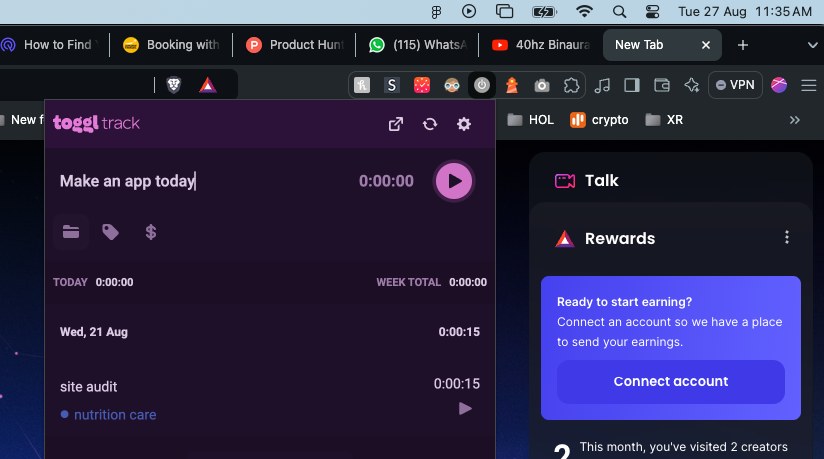
I set my timer Toggl to ‘make an app today’.
I wanted to make something that I would use every day myself and over time I could improve this app. The thought of using my own app excited me.
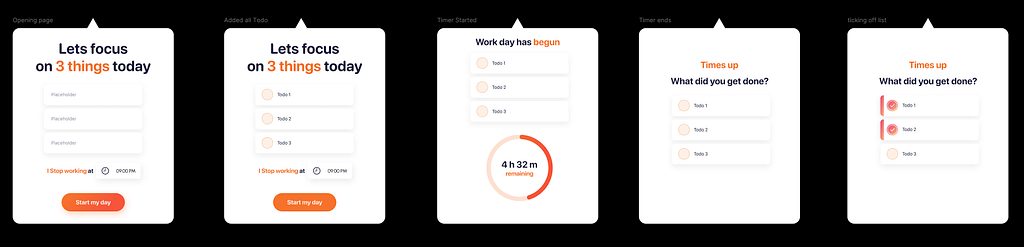
So I decided to make a timer that will:
- set your workday end time
- add 3 tasks that you will get done today
- when the timer runs out user receives a notification and a review screen
- every time you tick off a task you get a success sound
- if you tick off all tasks you get a confetti animation and a congrats screen.
I quickly made a mockup for this idea (Using one of my existing app’s UI).
I ran the Cursor AI IDE, created a new project named “MACMENUAPP” and added a txt file, listing all my requirements for the app.
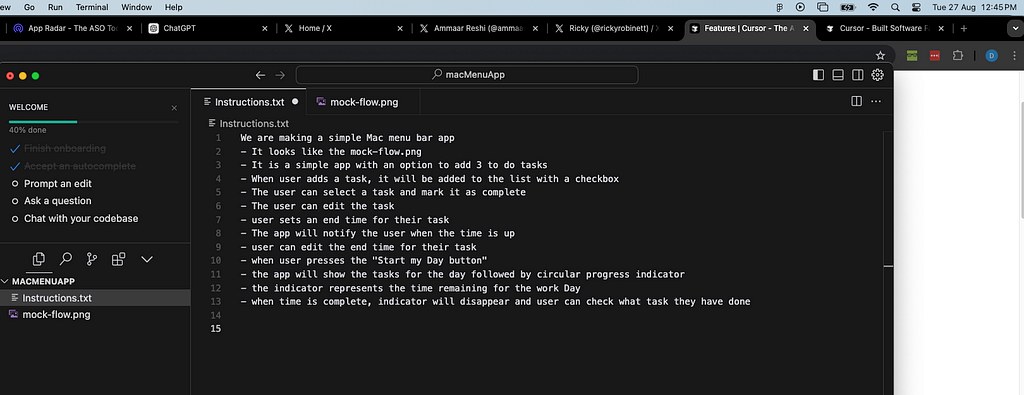
I also dragged my app flow screenshot into the project folder.
hit command + I to bring up the composer.
Composer is the MVP here
Composer does the magic, you can choose various models for composer but I stayed with the default Claude 3.5 sonnet as it worked the best for me.
Once I had the code, it was time to create a new Xcode project.
I simply copied and pasted the code that the composer gave me in Xcode.
This took literally 2 mins, if I had my design and concept ready, I would have had a scaffold app in 2 Minutes!!
That is crazy!
I wanted to keep going so I tried to get the UI wireframe closer to my design first. I had to keep prompting the composer with the right information.
After adding another reference file of the opening page of the app, the composer gave me a pretty spot-on interface (not with the design yet but functionality-wise).
I had to do some more cleanups and remove individual task timers (which were actually nice features but I wanted to focus on getting it closer to my UI).
When I got some errors, I just copied the error line and gave it to composer and it fixed the errors for me.
At 1 hour 5o mins I had an app that worked pretty close to my idea (this includes me designing my concept and running builds).
I spent the rest of the time going back and forth on
- making UI closer to the app
- adding sounds to the app when the user checks out a task (finding royalty free sounds)
- adding Lottie for the congrats screen (importing packages)
- adding micro-interactions and fixing animations.
For UI, I mostly got code from Figma, and gave it to the composer.
This back and forth took me time as sometimes the output was not near perfect. I had to sometimes tell the composer sometimes exactly which object to add what styles to.
but at 4 hours and 5 mins…
I had this:
Final thoughts
There is a lot of conflict within me on how to feel about this:
The Good
- Time efficiency: It is very exciting that it can enable me to produce a product so quickly with such minimal effort.
- Rapid product-market fit: I can imagine a cool concept and get an MVP ready by myself before getting anyone involved.
- Low learning curve: I can teach these steps to an 8-year-old and they can start shipping products, in fact, someone has done it already.
- Democratise development: Anyone can build, I could design before, but now suddenly I can build.
The Concerns
What is going to happen to my programmer friends and the rest of the tech industry? With tools like this getting better every day.
Will it take away everyone’s job? No. Will it make the market demand smaller? Definitely yes!
If coding is replaceable, so is design, what is coming for designers? Or is it already out there somewhere? Tools like Uizard which will only improve with time.