Originally published on Medium.
Coun’t find a Palette Picker, I made my own for free — this is 2025
I’ve been a product designer for years, and I’ve always loved web apps like Coolors.co — simple tools that help designers worldwide pick stunning palettes every day. But something bugged me about them.
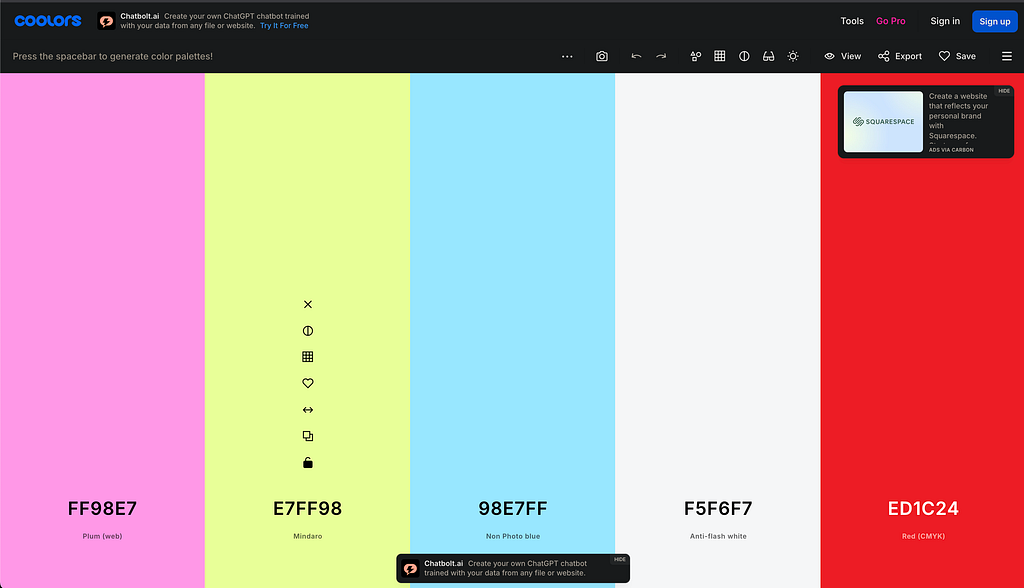
They spit out gorgeous colours, sure, but they don’t explain why those colours work together. Where do they sit on the colour wheel? Are they Monochromatic, Analogous, or something else? That gap drove me nuts. I’d tell myself, I’ll build a better version when I have time. Spoiler: tomorrow never came — until 2025.
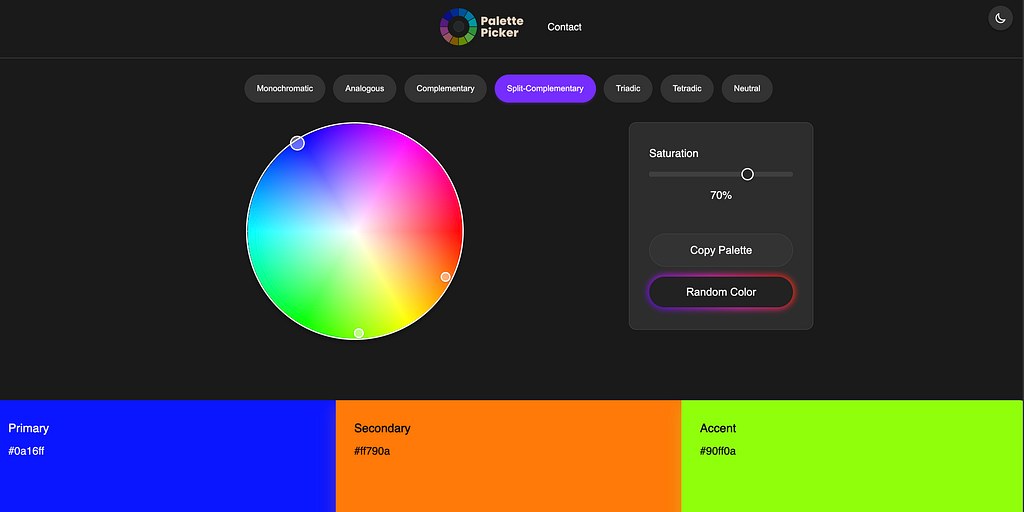
With AI in my corner, I built PalettePicker, a tool that not only generates palettes but shows designers the colour wheel and scheme behind them. It took hours, not weeks or months, and it’s live now. Here’s how AI turned my long-delayed dream into reality, why it’s a productivity game-changer, and the mixed feelings it sparks about my developer friends.
Why I Built PalettePicker
Colour is everything in product design — it sets the vibe, guides users, and makes brands unforgettable. I wanted a tool that went beyond random palettes, one that let designers pick a scheme (like Triadic or Complementary), tweak a base hue on a wheel, and see the logic behind the colours. Coolors was great for inspiration, but it left me guessing about the “why.” So, I decided to create PalettePicker — a designer’s tool that’s as educational as it is beautiful, built for 2025.
How I Built It (Four Quick Steps)
- Chatting with Grok
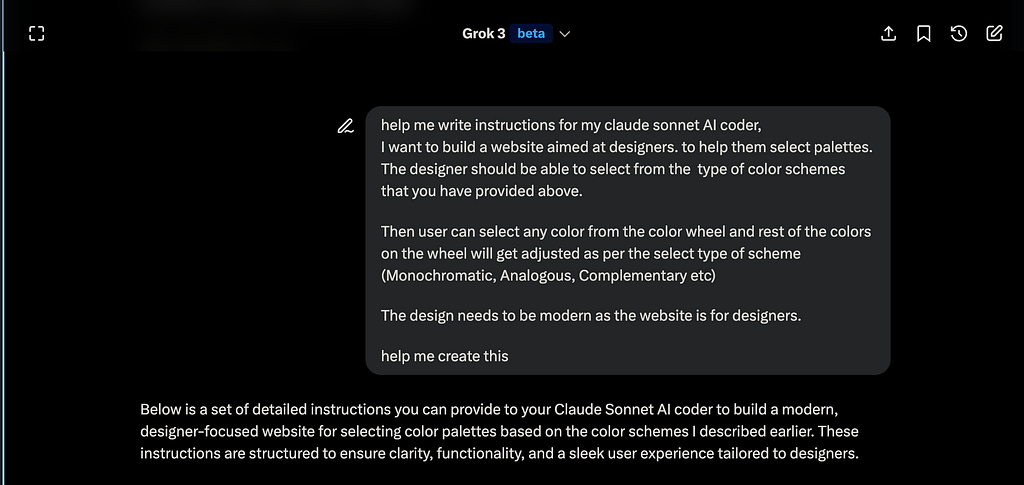
I’m no coder, so I told Grok, my idea: a web app for picking schemes and tweaking hues on a wheel. Grok gave me detailed instructions which I provided to Claude.
2. Cursor Codes It Up
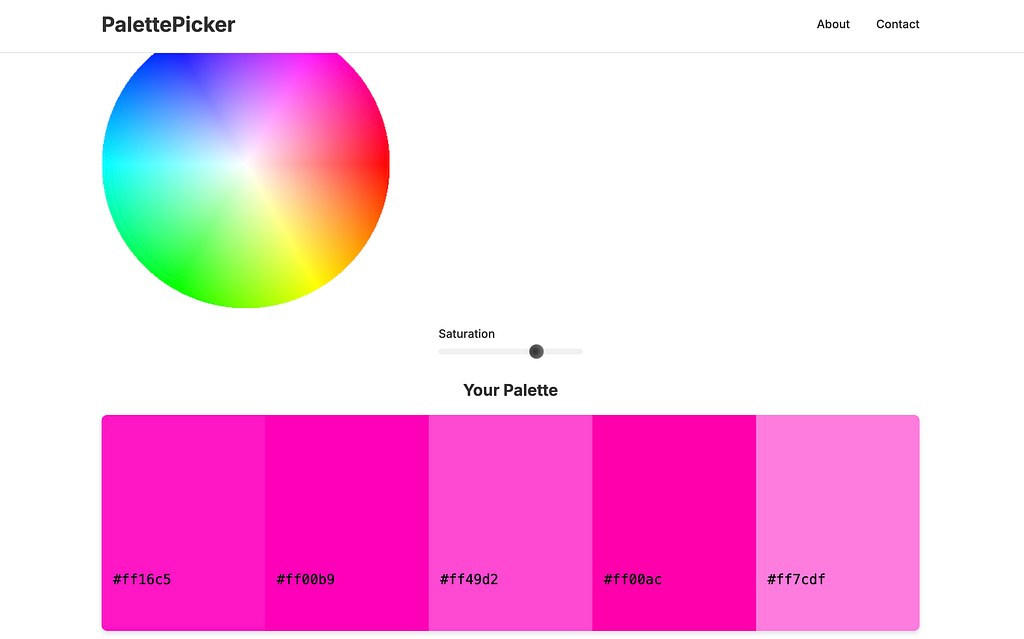
I fed Grok’s plan to Cursor, Boom — working app, colour wheel and all, with Triadic logic (base, +120°, +240°). Years ago, I thought this’d take days or weeks. AI said, I got 2 mins.
3. Fixing the UI
Cursor’s UI was dull — hardly designer-friendly. I used my design skills to add a CSS Grid, changed the font, and hover effects. AI laid the foundation; I made it useable. Claude is good with core functionality but struggles with simple layout issues as it sometimes double parks its code in .css and .html file, I had to do grid and column tweaking manually.
4. Netlify Launch
Netlify was a dream. Authenticate github Upload repo, click deploy, done — PalettePicker went live at https://mypalettepicker.netlify.app/, free and instant. AI and Netlify made “someday” today.
The Snags
Cursor’s UI development was a little bit of a letdown(tried all models on it except the Claude 3.7 Max). I tweaked CSS for few hours to make it responsive and sharp. It was work, but now PalettePicker delivers: seven schemes, a colour wheel, and hex codes in a snap.
My Take
PalettePicker is real, and I’m stoked. AI tools like Grok and Cursor let non-pro coders like me build apps we’d shelved forever. In 2025, AI’s fears are loud, but its productivity boost is louder — my “when I have time” plans are happening now.
Yet, I feel for my developer friends. They’ve spent years perfecting code, and AI’s speed can sting. It’s a weird mix of awe and respect. For me, it’s a push to keep up in this AI-driven world.
Try PalettePicker now.
I will be improving this over time
Tell me what you think! Do you think I should improve this page? Add some extra features?
What’s your dream project? Comment below!