AI automation · Melbourne
AI automation agency in Melbourne for small business
Digital Sauce is a Melbourne studio that designs and builds workflow automations, app integrations and AI assistants for Australian and New Zealand small businesses. We use n8n, Zapier, Make or custom code, whichever fits the job, so the busywork runs itself and you're never locked into one tool.
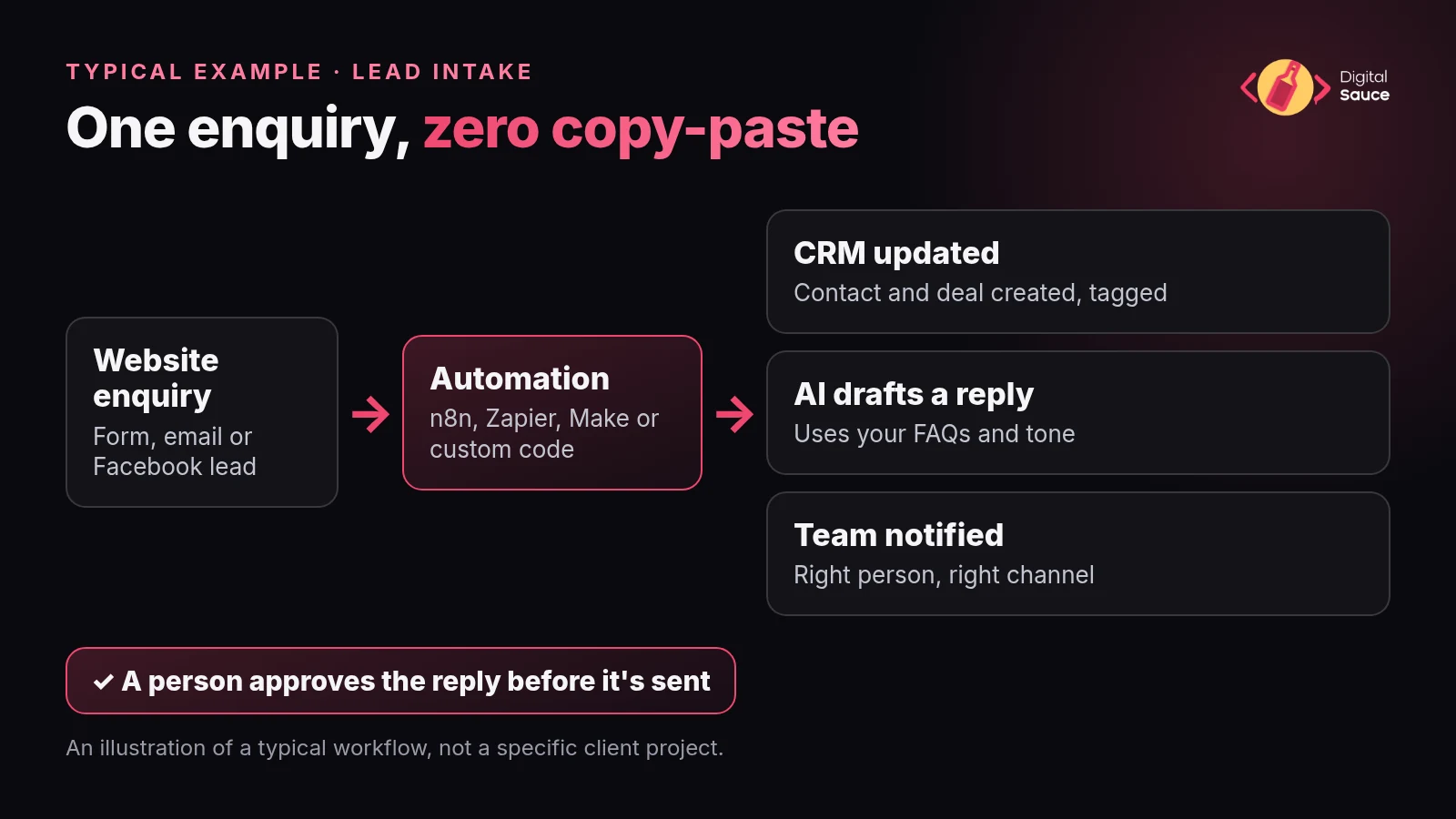
What does an AI automation agency actually do for a small business?
An AI automation agency finds the repetitive tasks eating your week, connects the apps you already use so information moves between them on its own, and adds AI where it genuinely helps, like sorting messages or drafting replies. The goal is fewer copy-paste jobs, not a robot running your business.
In practice, most of the work isn't AI at all. It's plumbing. When a form comes in, create the contact in your CRM. When a job is marked done, raise the invoice in Xero. When a payment lands, update the spreadsheet. AI comes in for the fuzzy steps that used to need a person to read something, like working out what an email is asking for or writing a first-draft reply.
That's why we start with the workflow, not the tool. Automation is the newest service at Digital Sauce, and it grows straight out of the integration work behind the apps and websites we build. Same people, same habit of asking what the job actually is before anyone touches a tool.
Which workflows can we automate first?
Start with a task that happens often, follows the same steps every time and annoys whoever has to do it. These are typical first automations for a small business:
- Lead intake. Website, email or Facebook enquiries go straight into your CRM, get tagged, and the right person hears about it.
- Invoicing and payment reminders. A finished job or signed quote creates a draft invoice in Xero, with polite reminders when it's overdue.
- Inbox triage. Incoming email is sorted into sales, support and accounts, and the urgent ones are flagged.
- CRM sync. Contacts, deals and notes stay the same across your CRM, email marketing tool and spreadsheets.
- AI email and support drafts. AI writes a first reply from your own FAQs and tone, and a person approves it before it goes.
- Reporting. A weekly summary of leads, sales or jobs lands in your inbox instead of being built by hand.
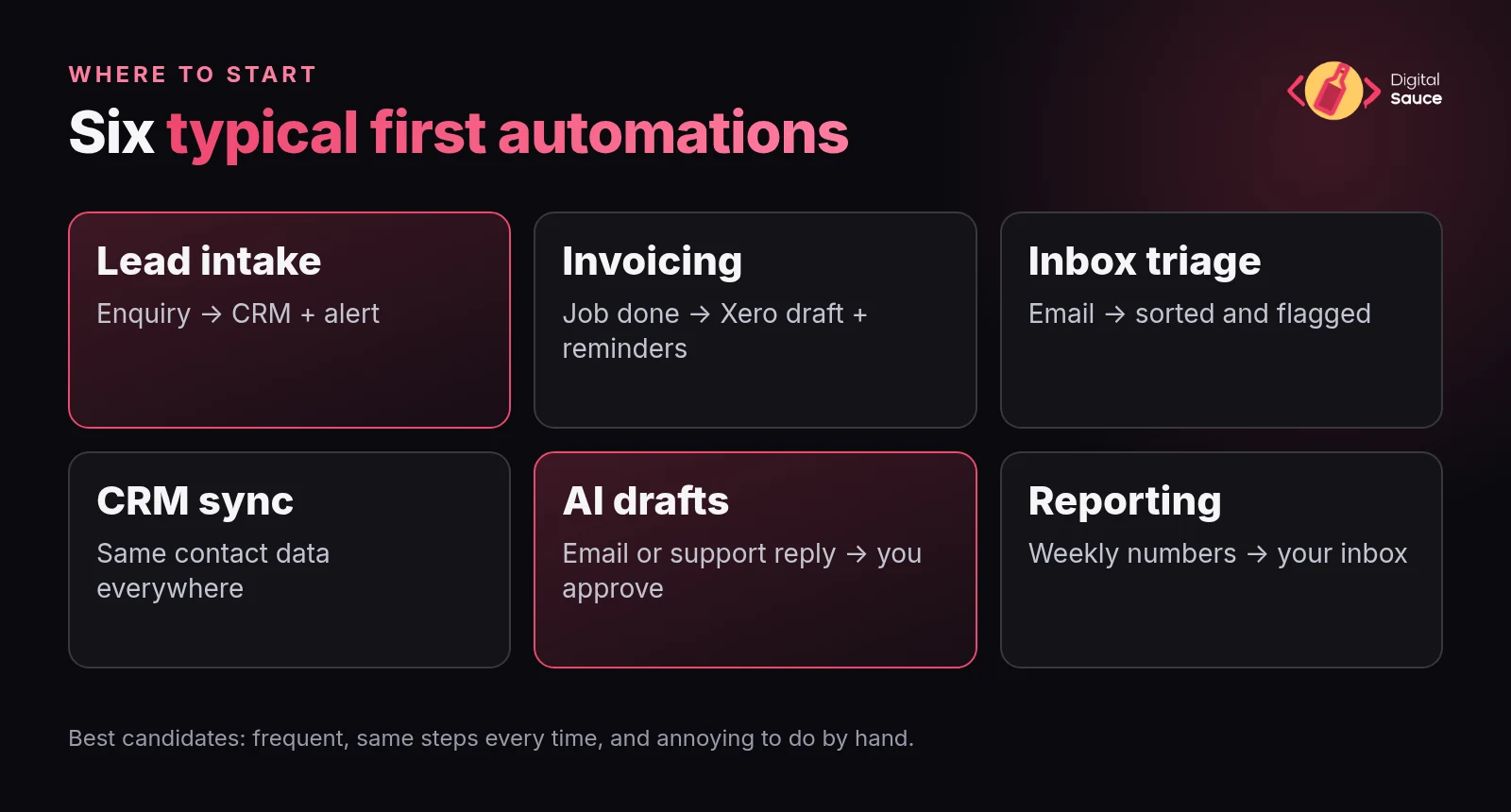
A quick test: if you can write the steps on a sticky note and someone does them more than a few times a week, it's probably worth automating. If every case needs judgement, AI can still draft, but a person should stay in charge.
Who is AI automation for, and who should wait?
It's for Australian and NZ small businesses, startups and solo founders who already have a process that works and are losing hours to admin around it. It's not the right first step if the process itself still changes every week.
Good fits usually look like a service business, trade, clinic, agency or online shop with a handful of apps that don't talk to each other: a CRM, Xero or MYOB, a booking or job-management tool, Gmail or Outlook, and a few spreadsheets holding it all together.
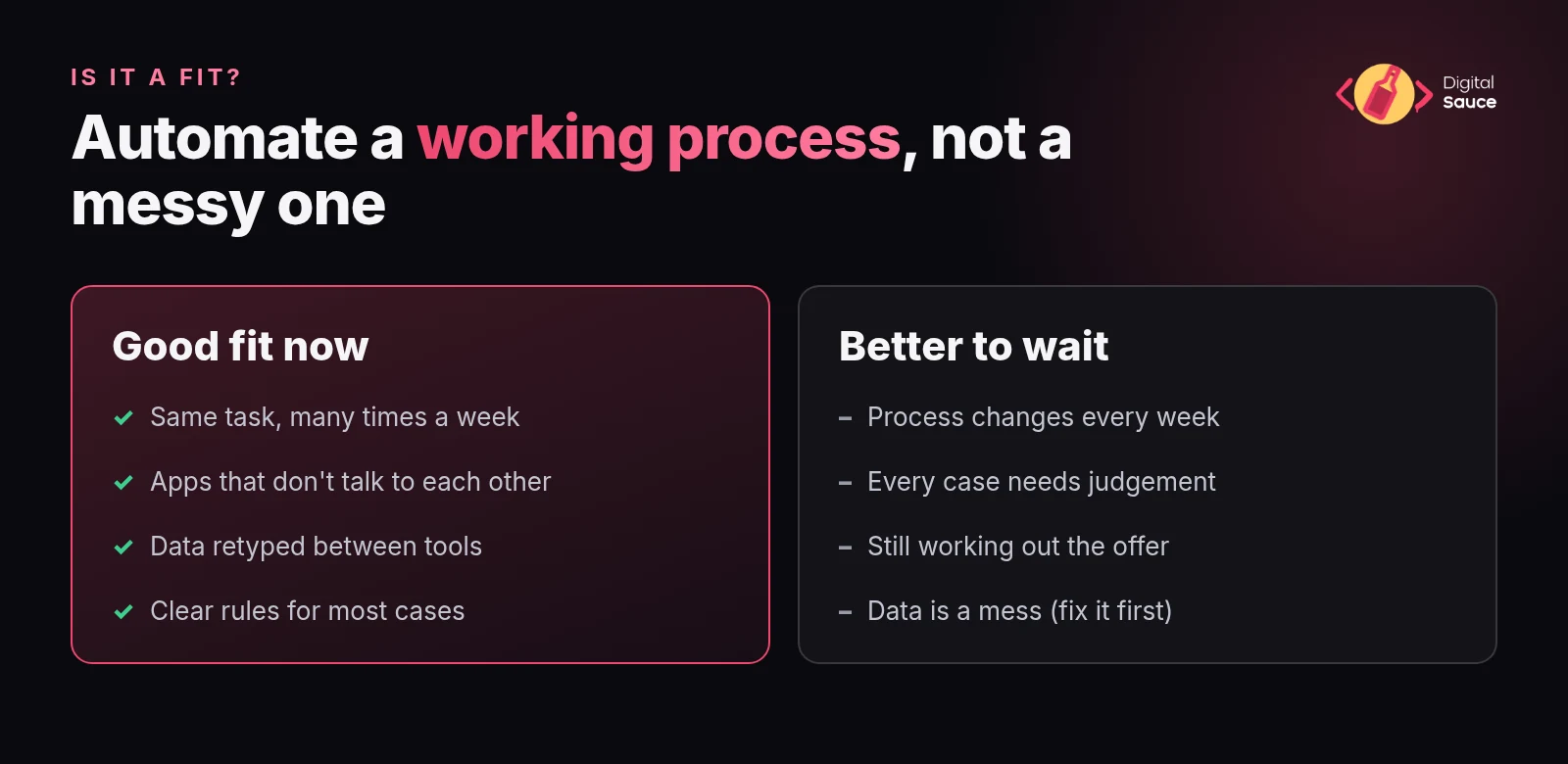
If you're still working out what you sell, or you'd be automating a mess, sort the process out first. We'll tell you that in the consult rather than sell you a build you don't need.
Do you need a Melbourne agency, or can automation be done remotely across Australia and NZ?
You don't need to be in Melbourne. We're based here, but automation work happens over video calls and screen shares, so a business in Sydney, Brisbane, Perth, Adelaide or Auckland gets exactly the same process.
What being Australian changes is the detail. We build around local tools and habits: Xero and MYOB, GST on invoices, AEST and AEDT business hours for reminders (or NZ time for Kiwi clients), and Australian spelling in anything AI writes to your customers.
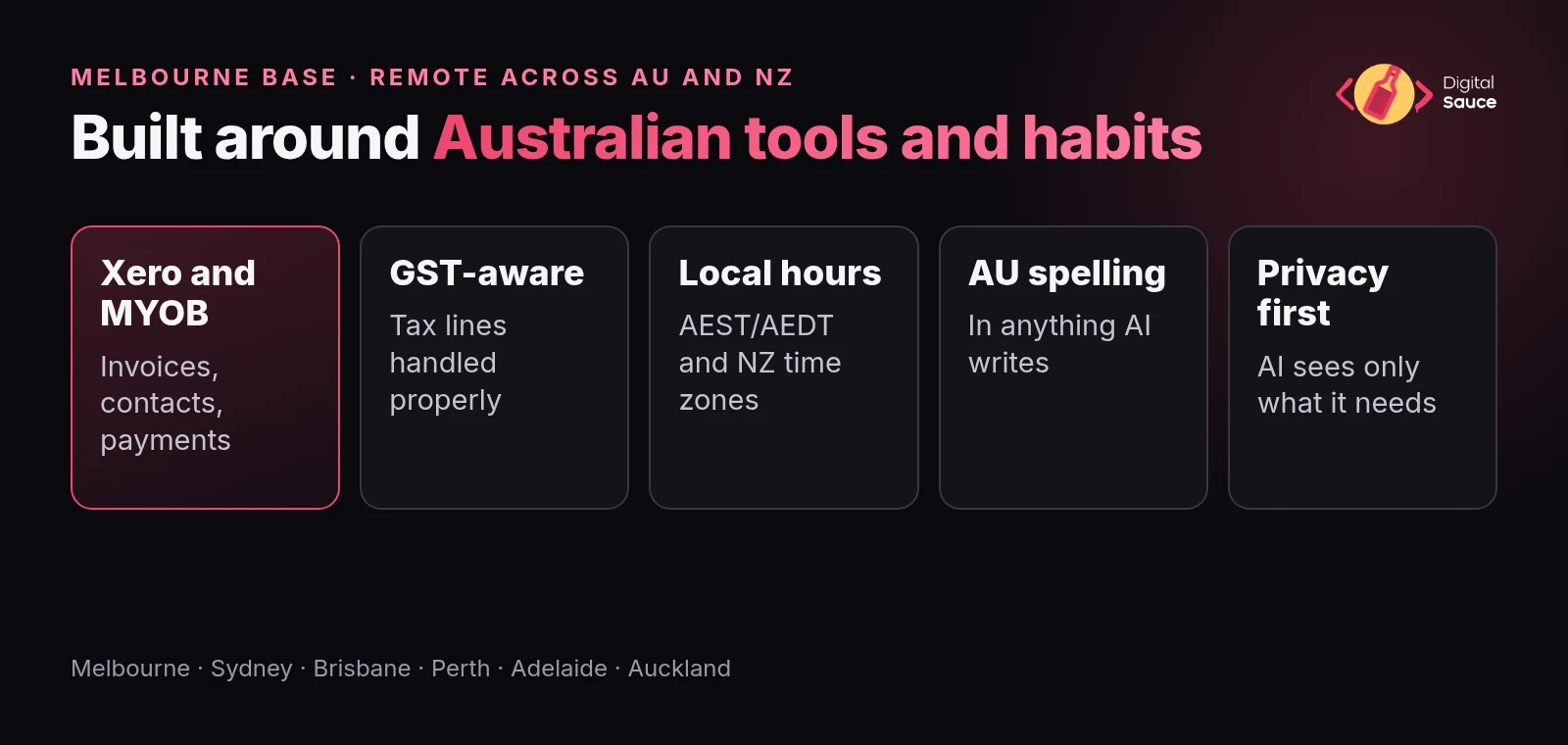
It matters for privacy too. The Office of the Australian Information Commissioner has published guidance on privacy and commercially available AI products, and it's worth a read before customer details go anywhere near an AI tool. We design workflows so the AI step only sees the information it needs.
How do we go from a free consult to a live workflow?
It starts with a free consult where you walk us through the task, and it ends with a tested workflow running in your business's own accounts. In between, there are four steps.
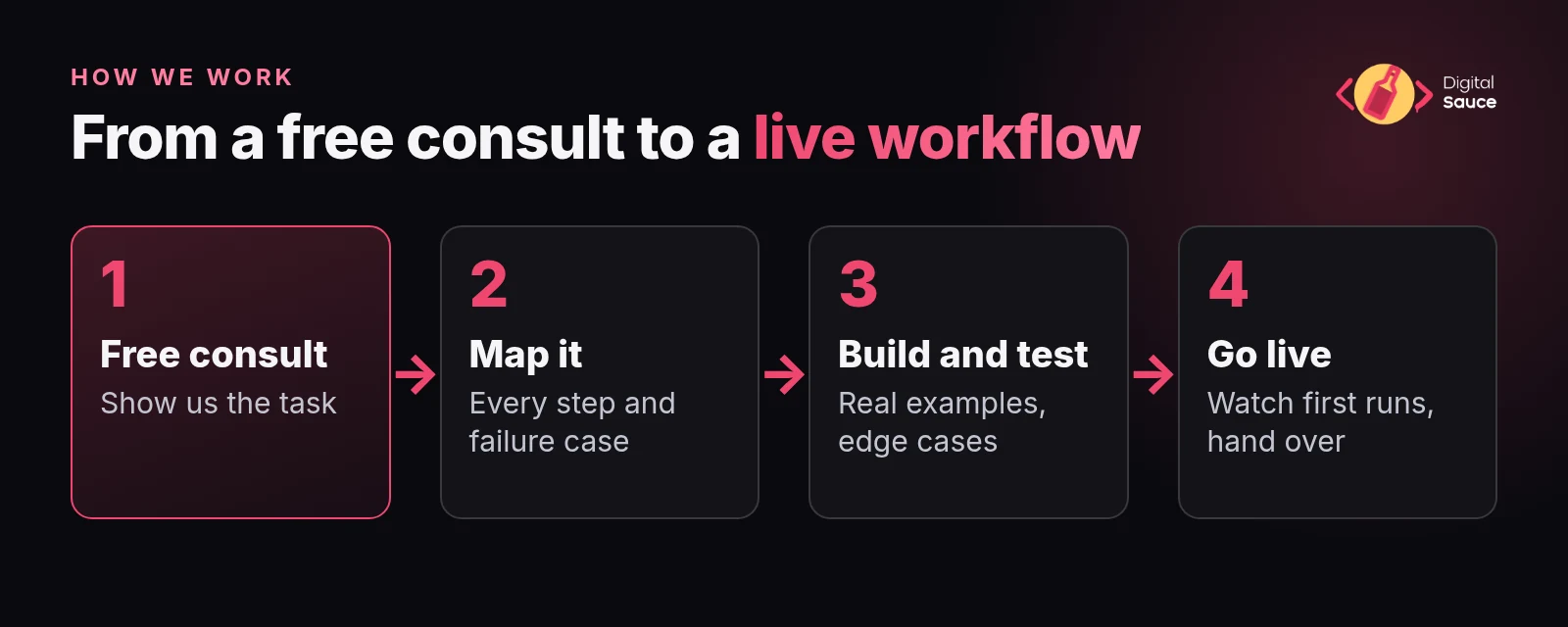
- Free consult. You show us the task, the apps involved and where it hurts. We tell you honestly whether automating it is worth the effort.
- Map it. We write the workflow out step by step, including what should happen when something goes wrong, and agree which steps a person should still check.
- Build and test. We build it in the tool that fits, run it with real examples and fix the edge cases before anything touches a customer.
- Go live and hand over. We switch it on, watch the first runs and walk you through how it works, so you're not dependent on us to keep it running.
AI steps get extra care. Anything AI writes to a customer starts as a draft that a person approves, and we only loosen that once you trust what it produces.
Which tools do we use: n8n, Zapier, Make or custom code?
We use all four and pick whichever fits the job, so there's no tool lock-in. The right choice depends on how many apps are involved, how complex the logic is, who will look after it and where your data needs to live.
Which automation tool fits which job
| Tool | Good fit when | Worth knowing (as of Nov 2026) |
|---|---|---|
| Zapier | You want the quickest setup, the widest choice of ready-made app connections and something your team can tweak themselves. | Zapier says it connects 9,000+ apps. Simple, step-by-step workflows are its sweet spot. |
| Make | The workflow has branches, loops or lots of data reshaping, and you like seeing it all as a visual map. | Workflows are built as visual "scenarios". See Make's help centre for current features and limits. |
| n8n | You want more control, complex logic or AI agent steps, or you need data to stay on infrastructure you control. | n8n can be self-hosted on your own infrastructure and has built-in AI workflow features. |
| Custom code | No tool connects to the app you need, volumes are high, or the logic is core to how your business works. | The most flexible option. It needs a developer to look after it, which is what we do every day. |
Often the answer is a mix: Zapier for the simple hand-offs your team can edit, and n8n or a small piece of custom code for the step that needs real logic. We'll explain the trade-offs in plain English, and the decision is yours.
What does AI automation cost, and what do you own at the end?
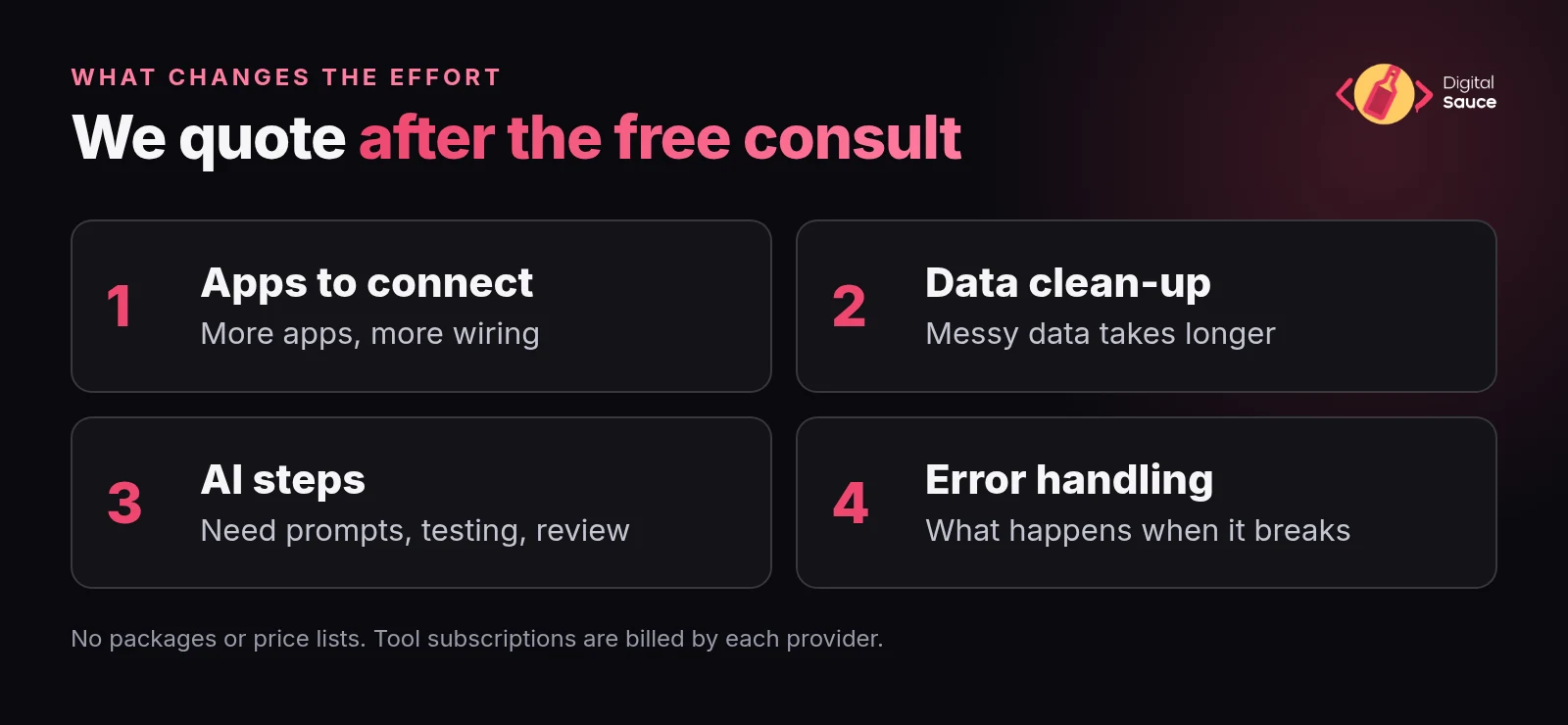
It depends on the workflow, so we don't publish packages or price lists. After the free consult we scope the job with you and give you a quote before any work starts.
The things that change the effort most are how many apps need connecting, how messy the existing data is, whether AI steps are involved and how much error handling the workflow needs. Ongoing subscriptions for tools like Zapier, Make, n8n Cloud or AI services are billed by those providers, so check their current pricing pages.
As for ownership, the workflows run in accounts set up for your business, so you're not locked into us or into one tool. If you outgrow Zapier, the logic can move to n8n or code. If you'd rather run it yourselves, you can.
Questions people ask us about AI automation
What is an AI automation agency?
An AI automation agency designs and builds workflows that move information between your business apps automatically, and adds AI for steps that used to need a person to read or write something, like sorting emails or drafting replies. Digital Sauce does this for Australian and NZ small businesses from Melbourne.
Is this the same as Digital Sauce's AI-accelerated app development?
No. AI-accelerated app development is about building new apps faster with AI-assisted engineering. AI automation is about connecting the tools you already use, like your CRM, Xero and inbox, so repetitive admin runs on its own.
Can you work with our existing Xero, CRM or job-management tools?
Usually, yes. Most popular small-business tools can be connected through Zapier, Make, n8n or their own APIs. In the free consult we check your exact tools and tell you honestly if something can't be connected well.
Which automation tool will you use?
Whichever fits the job. We work with n8n, Zapier, Make and custom code, and often mix them. There's no tool lock-in, and we explain the trade-offs so you can make the call.
Do you only work with Melbourne businesses?
No. We're based in Melbourne, but automation work happens over video calls and screen shares, so we work with small businesses anywhere in Australia and New Zealand.
How do we get started?
Book a free consult at digitalsauce.io/contact or email development@digitalsauce.io. Bring one task that eats your week, and we'll tell you whether automating it is worth it.
Read next
Got a task you do every single week?
Book a free consult and you'll talk to a maker, not a salesperson. Or email development@digitalsauce.io.
Book a free consult →