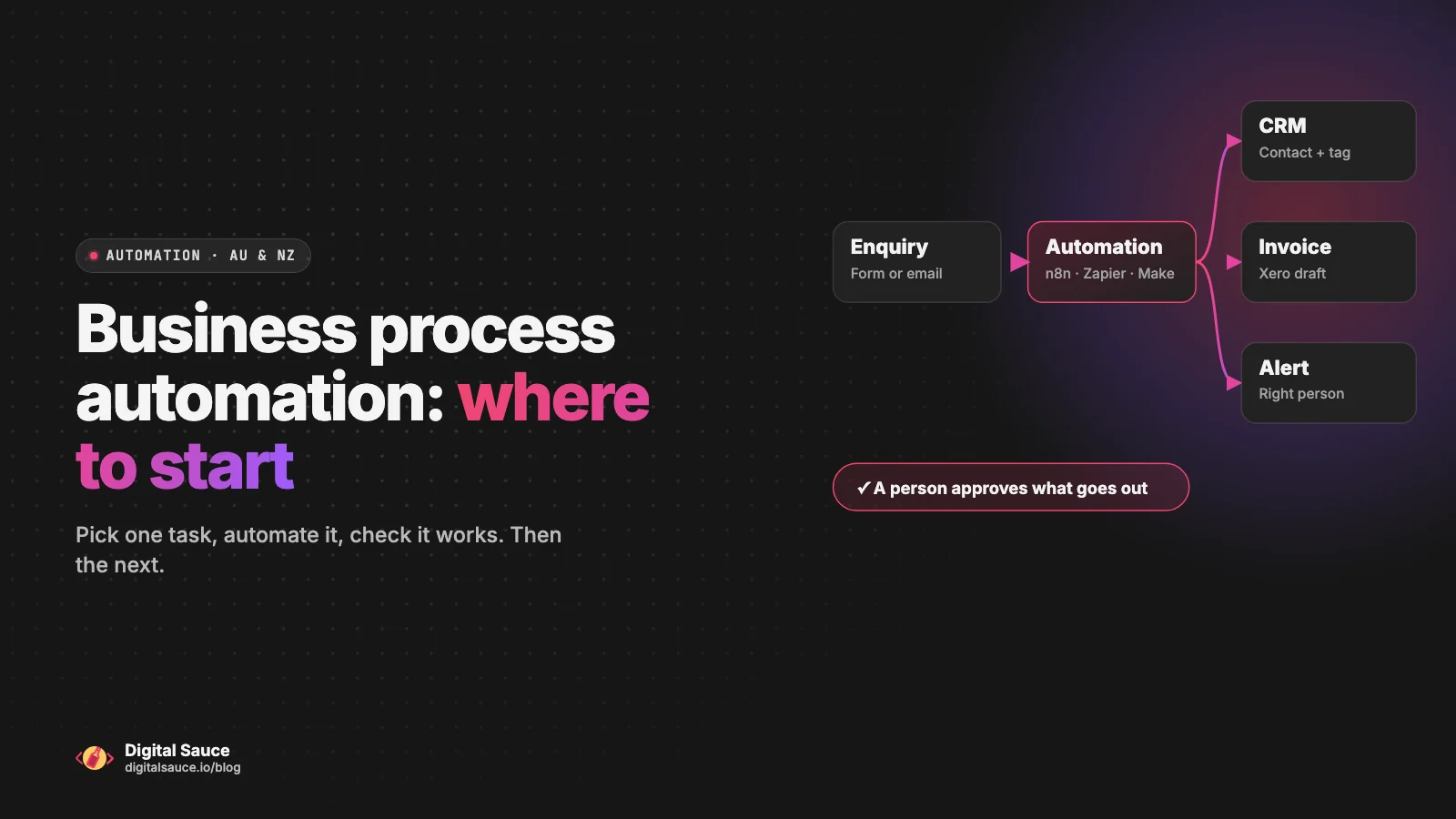
Business process automation means getting software to do the repetitive steps in your business that a person currently does by hand: copying an enquiry into your CRM, raising an invoice when a job is done, chasing a payment, sending the weekly numbers. For a small business, the best place to start is one task that happens often, follows the same steps every time, and that nobody enjoys doing.
I'm Sanket, and I run Digital Sauce, a small studio in Melbourne. Most of our work is designing and building apps, and wiring those apps into the tools businesses already use is a big part of every build. Workflow automation is the newest thing we offer, and it grew straight out of that integration work. This guide is what I'd tell an Australian or NZ business owner before they spend a dollar on it.
What is business process automation, in plain English?
It's rules plus connections: when this happens in one app, do that in another. A form is submitted, so a contact is created in your CRM and someone gets a message. A job is marked complete, so a draft invoice appears in your accounting software. Nobody retypes anything.
Most of it isn't AI at all. It's plumbing between the apps you already pay for. AI comes in for the fuzzy steps that used to need a person to read something, like working out what an email is asking for or writing a first-draft reply. The Australian Government's guidance on AI for business makes the same point we do: check AI output before you rely on it.
It's also not the "robotic process automation" you'll read about in enterprise white papers. For a business with a handful of staff, you rarely need a robot clicking through screens. Most popular small-business apps can talk to each other directly.
Which process should a small business automate first?
Pick the task that scores well on four questions: does it happen often, does it follow the same steps every time, is it painful or error-prone, and is it low-risk if it goes wrong once? If you can write the steps on a sticky note and someone does them more than a few times a week, it's a strong candidate.
Pick your first process
Four questions, one sticky note
Daily or several times a week. A monthly task saves less, and takes longer to notice when it breaks.
Clear rules for most cases. If every case needs judgement, automate the busywork around it instead.
Retyping, copy-paste, forgotten follow-ups. The more annoying it is, the faster you'll feel the win.
Start where a mistake is easy to spot and fix, not with payroll or anything a customer pays for directly.
Four yeses: start here. Two or fewer: leave it for later.
Typical first automations for a small business look like this:
- Lead intake. Website, email or Facebook enquiries go straight into your CRM, get tagged, and the right person hears about it. Our guide to CRM automation covers seven workflows like this.
- Invoicing and payment reminders. A finished job or accepted quote creates a draft invoice, and overdue invoices get a polite nudge.
- Job and booking admin. A new booking creates the job, adds it to the calendar and sends the customer a confirmation.
- Follow-ups. A quote that hasn't been answered in a few days gets a reminder, so it doesn't quietly die in someone's inbox.
- Reporting. A weekly summary of leads, jobs or sales lands in your inbox instead of being built by hand on a Friday afternoon.
Before you build anything, check what your existing software already does. Plenty of "automation" is a setting you haven't switched on yet. Xero, for example, can send invoice reminders on its own, and business.gov.au lists sending invoices automatically from accounting software as one of the basic wins of digital tools for business.
What can you do yourself with Zapier, Make or n8n, and when do you need help?
You can build simple, step-by-step automations yourself, especially between popular apps. Get help when the workflow has lots of branches, touches money or customer data, needs AI steps you can trust, or has to keep working when something unexpected happens.
The three tools most small businesses look at:
- Zapier is usually the quickest to start with. It says it connects 9,000+ apps, and simple "when this, do that" workflows are its sweet spot.
- Make shows each workflow as a visual map, called a scenario, which helps when there are branches, loops or lots of data reshaping. Make's help centre has the current features and limits.
- n8n gives you more control. It can be self-hosted on infrastructure you control, which matters if your data needs to stay put, and it has built-in AI workflow features.
And sometimes the right answer is a small piece of custom code, when no tool connects to the app you need or volumes are high. We compare the four in more detail on our AI automation page.
DIY goes well when one person owns the workflow, the steps are simple, and a failure is obvious. It tends to go badly when an automation quietly stops and nobody notices for a month, or when it's built so cleverly that only the person who made it can fix it. If you do it yourself, write the steps down and turn on the tool's error notifications.
What does a typical Australian small-business automation look like?
Usually it connects a form or job system to your CRM and accounting software, with a person checking anything that goes to a customer or involves money. Here's a common one for a service business or trade:
Typical example · Job to invoice
Job done, invoice drafted, nobody retyping
In your job or booking app
In Xero or MYOB, with GST lines
A person checks, then sends
Polite, on a schedule you set
An illustration of a typical workflow, not a specific client project.
The local details are what make it work for an Australian or NZ business:
- Accounting software. Xero and MYOB are the usual targets. Both have ecosystems of connected apps (Xero App Store, MYOB add-ons), so check there before building from scratch.
- GST. Invoices need the right tax treatment, so the automation should use your accounting software's tax settings rather than calculating GST itself. The ATO's GST guidance is the place to check the rules.
- Time zones. Reminders and follow-ups should go out in business hours: AEST or AEDT, or NZ time for Kiwi customers.
- Spelling. Anything AI writes to your customers should sound like you, in Australian or NZ English.
- Privacy. Only pass an AI tool the information it needs. The OAIC has guidance on privacy and commercially available AI products worth reading first.
How do you know an automation is working?
Measure the task before you automate it, then check the same thing after. Note roughly how long it takes each time and how often it happens, and count the mistakes or missed follow-ups. A month later, compare.
Three habits keep an automation honest:
- Get told when it fails. Every tool can alert you when a run errors. Send those alerts to someone who will actually read them.
- Keep a person on customer-facing steps until you trust the output, especially anything AI writes.
- Review it monthly for the first few months. Apps change their fields and connections, and a workflow that worked in March can quietly break in May.
Don't trust a vendor's "save 10 hours a week" headline. Your own before-and-after numbers are the only ones that matter.
When should you not automate?
Don't automate a process that's still changing every week, one where every case needs judgement, or one built on messy data. Automating a mess just gets you the wrong result faster.
- The process isn't settled. If you're still working out what you sell or how a job runs, fix the process first.
- Every case is different. AI can draft, but a person should decide.
- The data is a mess. Duplicate contacts and half-filled records get copied faster, not fixed. Clean up first.
- It rarely happens. A task you do twice a year is usually cheaper to keep doing by hand.
- A mistake would be expensive. Start somewhere safer, then work up to the high-stakes steps with a human check.
The business.gov.au guide to writing a digital strategy is a good way to step back and decide what's worth doing first.
Frequently asked questions
Is business process automation only for big companies?
No. Small businesses often benefit most, because the same few people do every admin task. Tools like Zapier, Make and n8n connect popular small-business apps without a big IT project.
How long does a first automation take?
It depends on the workflow. A simple connection between two popular apps can be set up quickly, while a workflow with several apps, AI steps or messy data takes longer to map, build and test properly. We give you a scoped quote after a free consult.
Will I still need my existing software, like Xero, my CRM or my job app?
Yes. Automation connects the software you already use so information moves between it on its own. It does not replace your accounting, CRM or job management tools.
Is this the same as AI or a chatbot?
Not quite. Most business process automation is rules and connections between apps. AI is one step you can add for fuzzy jobs, like sorting emails or drafting replies, and a chatbot is just one possible use of it.
Can Digital Sauce help us map and build the first workflow?
Yes. We design and build workflow automations for Australian and NZ small businesses using n8n, Zapier, Make or custom code. Start with a free consult on our AI automation page.
Read next
- AI automation for small businessHow we map, build and hand over workflows
- Human + AI: how we ship appsThe four-step loop behind our fastest builds
- What AI pair-programming changesWhere it delivers, and where it quietly fails
- Discovery & StrategyWork out what is worth building first
Sources
- Digital tools for business, business.gov.au
- Artificial intelligence (AI) for business, business.gov.au
- Develop your digital strategy, business.gov.au
- Set up and add invoice reminders, Xero
- Xero App Store, Xero
- MYOB add-ons, MYOB
- GST, Australian Taxation Office
- Guidance on privacy and the use of commercially available AI products, OAIC
- App directory, Zapier
- Help centre, Make
- Hosting n8n, n8n docs
- Advanced AI, n8n docs
Last updated 14 November 2026. Tool features and limits change, so check each provider's current documentation and pricing before you commit. The examples here are typical workflows, not client projects.