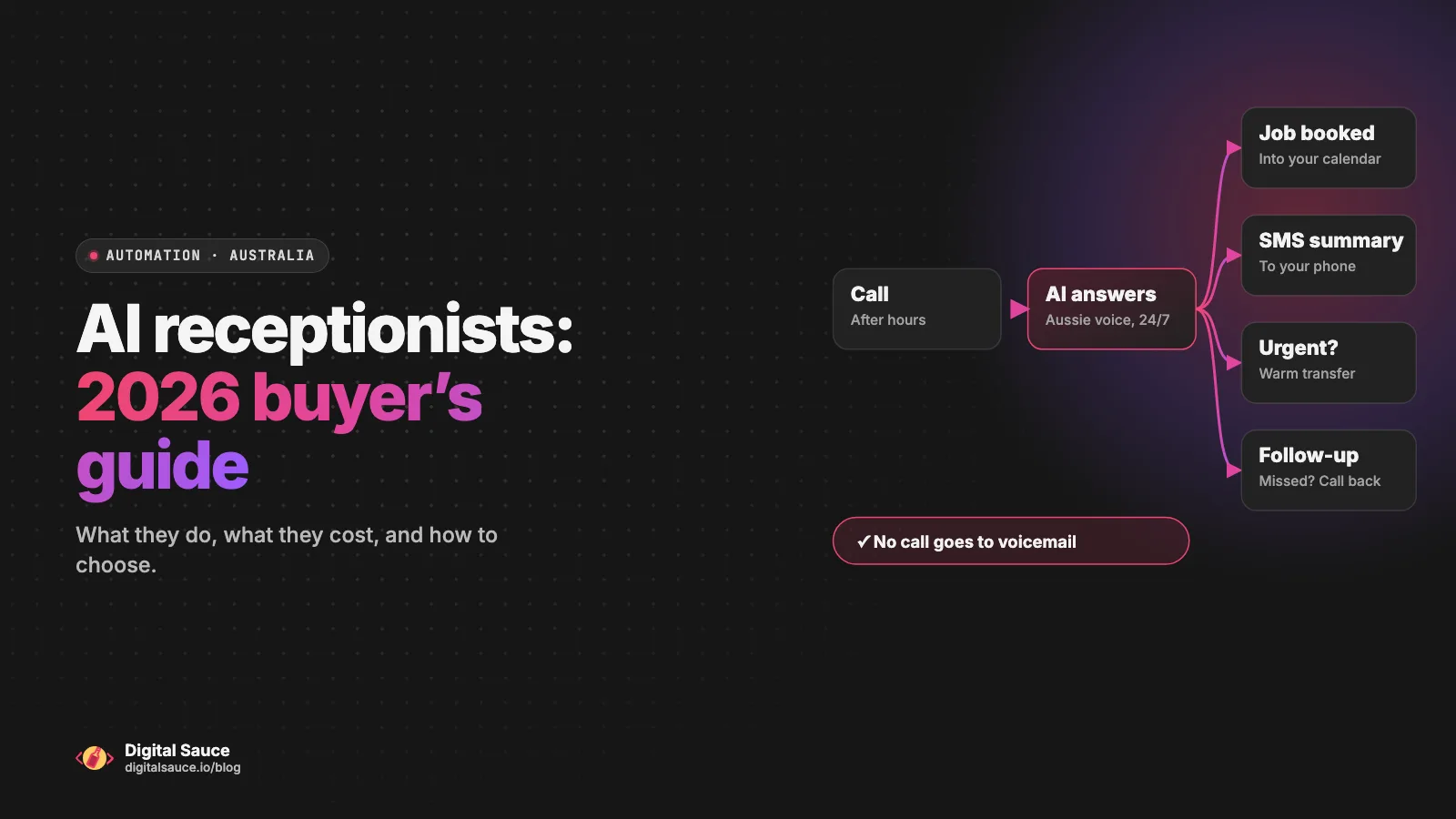
An AI receptionist answers your business phone with a natural-sounding AI voice, 24/7. It answers common questions, takes the caller's details, books the job or appointment and sends you a summary. For an Australian small business that misses calls while on the tools, with patients or after hours, it can be worth it: in November 2026, the cheapest published plans started under $50 a month before GST. But the tools differ a lot on price model, booking integrations and where your call data ends up, so compare those before you sign up.
I'm Sanket, founder of Digital Sauce in Melbourne. We design and build apps, and we help small businesses connect their tools through workflow automation. We don't sell an AI receptionist. This is a buyer's guide to the products on the market, written by someone who has to wire them up to booking and job systems afterwards.
What is an AI receptionist, and what can it do?
It's software that answers phone calls for you, using a voice model trained on your business information. Most products today can do the same core jobs, and the differences are in how well they connect to the rest of your business.
- Answer every call, including after hours and when several come in at once.
- Answer common questions from information you give it: hours, service area, what you do and don't do.
- Take details and qualify the caller: name, number, address, what the job is, how urgent it is.
- Book the job or appointment into your calendar or booking system, where the integration exists.
- Send summaries by SMS or email, often with a transcript and recording.
- Transfer the call to a person when it's urgent or the caller asks.
What it can't do well: give a firm quote on a job that needs a site visit, handle a genuinely upset customer, or know anything you haven't told it. Treat it as a very reliable front desk, not a replacement for you.
Interactive
Follow a call through an AI receptionist
Tap any step to see what happens there, or play a call from start to finish.
Instead of going to voicemail, the call goes to the AI receptionist, usually because you’ve set your existing number to forward to it.
It answers common questions from the business information you gave it (hours, service area, what you do and don’t do), then takes the caller’s name, number, address and what the job is.
If there’s no integration, it takes a booking request for you to confirm. This is the step where products differ most, so check the integration list.
Most products include a transcript, and many include a recording, so you can check what was said before you call back.
You set the rules: which words count as urgent, which number to transfer to, and what happens if you don’t pick up.
You, or an automation in your CRM, can follow up. Some products can send the caller a text straight after the call.
A typical setup. What a given product can do depends on its integrations and plan, so check before you buy.
Who is an AI receptionist a good fit for, and who should skip it?
It suits businesses that lose work because nobody can answer the phone: trades, clinics, salons, property managers and small professional practices. It's less useful if you rarely get calls, or if most calls need a skilled conversation.
Quick check
Should you get an AI receptionist? Be honest
- You miss calls while working, driving or with clients
- You get calls after hours or on weekends
- Most calls are bookings, quotes or the same few questions
- Your calendar or job system is already online
- You'd otherwise pay for an answering service
- You get a handful of calls a week and answer most of them
- Most calls need advice, negotiation or bad news
- Your bookings live on paper or in your head
- Your customers strongly expect a person every time
- You can't spend an afternoon setting it up and testing it
How should you compare AI receptionist tools?
Compare them on the things that decide whether it works for your business, not on the demo voice. These are the questions I'd ask every vendor:
- Does it book into the system I already use? Check the integrations page for your exact calendar, booking or job management software. "Integrates with your CRM" isn't the same as "books jobs into ServiceM8".
- How does it hand over to a person? Look for a warm transfer to your mobile for urgent calls, and clear rules for when it should transfer.
- Where is call data stored, and is it used to train AI? Read the vendor's privacy policy or trust page. Some keep data in Australia, some also use servers overseas.
- How is it priced? Per minute, per call or a quote after a demo, and whether there's a setup fee. Match the model to your call volume.
- Does it sound right? An Australian voice and a local number matter more than you'd think.
- Can you trial it? The best test is to ring it yourself, ask awkward questions and see what lands in your inbox.
Here's how four products that come up in Australian searches describe themselves. Everything below is taken from each vendor's own website on 15 November 2026. Prices, features and policies change, so check the current site before you decide. This isn't a ranking or an endorsement.
| Product | Aimed at | Published pricing | Integrations named on its site | Data location (vendor's own statement) |
|---|---|---|---|---|
| Sophiie | Trades and service businesses | No price list on its website that I could find; book a demo | ServiceM8, Xero, QuickBooks, Google Calendar and more | Main account database hosted in Australia, with a read-only copy of some data in the USPer its trust page |
| Johnni | Australian service businesses, including trades, accountants and law firms | From $49 a month plus GST, less if paid annually; set minutes included, then per minute7-day free trial | ServiceM8, Simpro, ServiceTitan, HubSpot, Pipedrive, Zoho, Google Calendar | Servers in Australia, the US and the EUPer its privacy policy |
| AiDial | Australian businesses, including healthcare, legal, NDIS and trades | $149 to $449 a month for 60 to 400 calls; setup fee set in your scope of work | Google Calendar, HubSpot, Cliniko, Halaxy, ServiceM8, n8n, Zapier and others | "AI hosted and processed in Australia"Per its pricing page |
| Hello22 | Businesses internationally | From US$29 a month for 20 call minutes7-day free trial | Check its integrations page | Storage location may depend on its providers and your setupPer its privacy policy |
What does an AI receptionist cost in Australia in 2026?
Published plans from the tools above ranged from under $50 a month to several hundred dollars a month in November 2026, depending on how many calls or minutes you need. The headline price matters less than how it's charged, so work out your own numbers first.
- Per-minute plans include a set number of call minutes, then charge for extra minutes. Good if your calls are short.
- Per-call plans include a number of calls a month, then charge per extra call. Easier to predict if you know your call count.
- Quote-based plans are priced after a demo, often with more setup and support included.
- Setup fees range from none to a scoped amount. Ask what's included: writing the call script, connecting your booking system, testing.
To compare fairly, pull last month's call log: how many calls, how long on average, and how many came in after hours or were missed. Multiply that out against each plan, and check whether prices include GST. Then add the cost nobody quotes you: your own time to write the business information it answers from, and to check its summaries for the first few weeks.
What about tradies, clinics and other service businesses?
They're the most common buyers, because their work keeps them away from the phone. What matters most differs a bit by industry.
- Trades: after-hours and emergency calls, a service-area check, and booking straight into your job management app. Several vendors name ServiceM8 and Simpro on their sites, but confirm the integration does what you need, such as creating a job, not just sending an email.
- Clinics and allied health: booking into your practice management system (AiDial, for example, names Cliniko and Halaxy) and careful handling of health information, which the Privacy Act treats as sensitive. Ask exactly where recordings and transcripts are stored.
- Professional practices: taking messages and booking meetings works well; giving advice doesn't. If you run an accounting firm, our guide to AI for accountants covers the confidentiality side.
Whatever your industry, tell callers early that they're speaking with an AI assistant and that calls may be recorded. Recording rules differ between states and territories, so check what applies to you.
When is a custom build or integration a better path than a product?
Most small businesses should start with a product. Look at an integration or a custom build when the products can't connect to the system your business actually runs on, or when your call flow is unusual.
- The integration is missing. If the receptionist can send a webhook or connect to Zapier, Make or n8n, a small workflow can usually create the job or booking in your system. That's far cheaper than a custom voice agent.
- The call needs your data. If callers ask about order status, account balances or job progress, the receptionist needs a secure way to look that up. That's integration work.
- Your process is unusual. Multiple locations, on-call rosters, complex triage, or several languages may outgrow what a product's settings allow.
- You want voice, chat and follow-ups as one system. Sometimes it makes sense to build a custom agent that answers calls and website chat, then runs the follow-up workflow, on infrastructure you choose.
Our order of preference is always the same: use a product if it fits, connect it with a workflow if it nearly fits, and build custom only when neither works. If you're weighing it up, the follow-up side is covered in CRM automation: 7 workflows worth setting up.
FAQ
Will callers know they are talking to AI?
Many won't be able to tell straight away, because the voices are now very natural. You should tell them anyway: have the greeting say they're speaking with an AI assistant for your business, and offer a way to reach a person. Being upfront builds more trust than a caller working it out halfway through.
Can an AI receptionist book jobs into my existing software?
Often, but check your exact software. Vendors list integrations on their sites: for example, in November 2026 Johnni listed ServiceM8, Simpro and HubSpot, and AiDial listed Cliniko, Halaxy and ServiceM8. If your system isn't listed, a workflow tool such as Zapier, Make or n8n can sometimes fill the gap.
Is my call recording stored in Australia?
It depends on the vendor, so read its privacy policy or trust page. In November 2026, AiDial said its AI is hosted and processed in Australia, Sophiie said its main database is in Australia with a read-only copy of some data in the US, and Johnni's privacy policy said it uses servers in Australia, the US and the EU.
What happens when the AI receptionist is unsure?
A good setup tells it what to do: take a message, promise a call back, or transfer the call to a person. Test this before you go live by ringing it with questions it shouldn't answer. Check the summaries regularly in the first few weeks and add anything it got wrong to its business information.
Can Digital Sauce set one up or connect it to my tools?
Yes. We don't sell a receptionist product, but we can help you choose one, connect it to your booking, job or CRM system with a workflow, or scope a custom phone and chat agent if the products don't fit. Every project is scoped after a short chat.
Read next
- CRM automation: 7 workflows worth setting upFrom lead capture to won-deal handover
- AI for accountants: what to automate firstDocument intake, reminders and the TPB rules
- Business process automation: where to startPick one task, automate it, check it works
- AI automation for small businessHow we map, build and hand over workflows
Sources
- Sophiie AI receptionist, Sophiie
- Trust and data, Sophiie
- AI receptionist pricing, Johnni
- Privacy policy, Johnni
- AI call pricing, AiDial
- Voice AI integrations, AiDial
- Pricing, Hello22
- Privacy policy, Hello22
- Guidance on privacy and the use of commercially available AI products, OAIC
Last updated 15 November 2026. Product details, prices and policies are taken from each vendor's website on 15 November 2026 and change often, so check the current site before you buy. This isn't a ranking or an endorsement, and it's general information, not legal advice.